


- On this Page
- Style & Appearance
- Admin UI
- Recommendations
Style & Appearance
Description
You can embed video elements in a grid on a single page. For non-grid media embed, see our Media Embed Block.
Available Styles
- Hosting Services
- YouTube
- Vimeo
- Kaltura
Colorful Ocean Video
We Are Sustainable
Foster-Forman Conference of Distinguished Writers
Another Video
Admin UI
Default Traits & Behaviors
- For hosting services, provide the asset ID (the unique alphanumeric portion of the media's URL)
- Provide a title for your media. Although this won't render on the page, it helps site visitors who use screenreaders cognitively link the textual site content with the video.
Kaltura Specifications
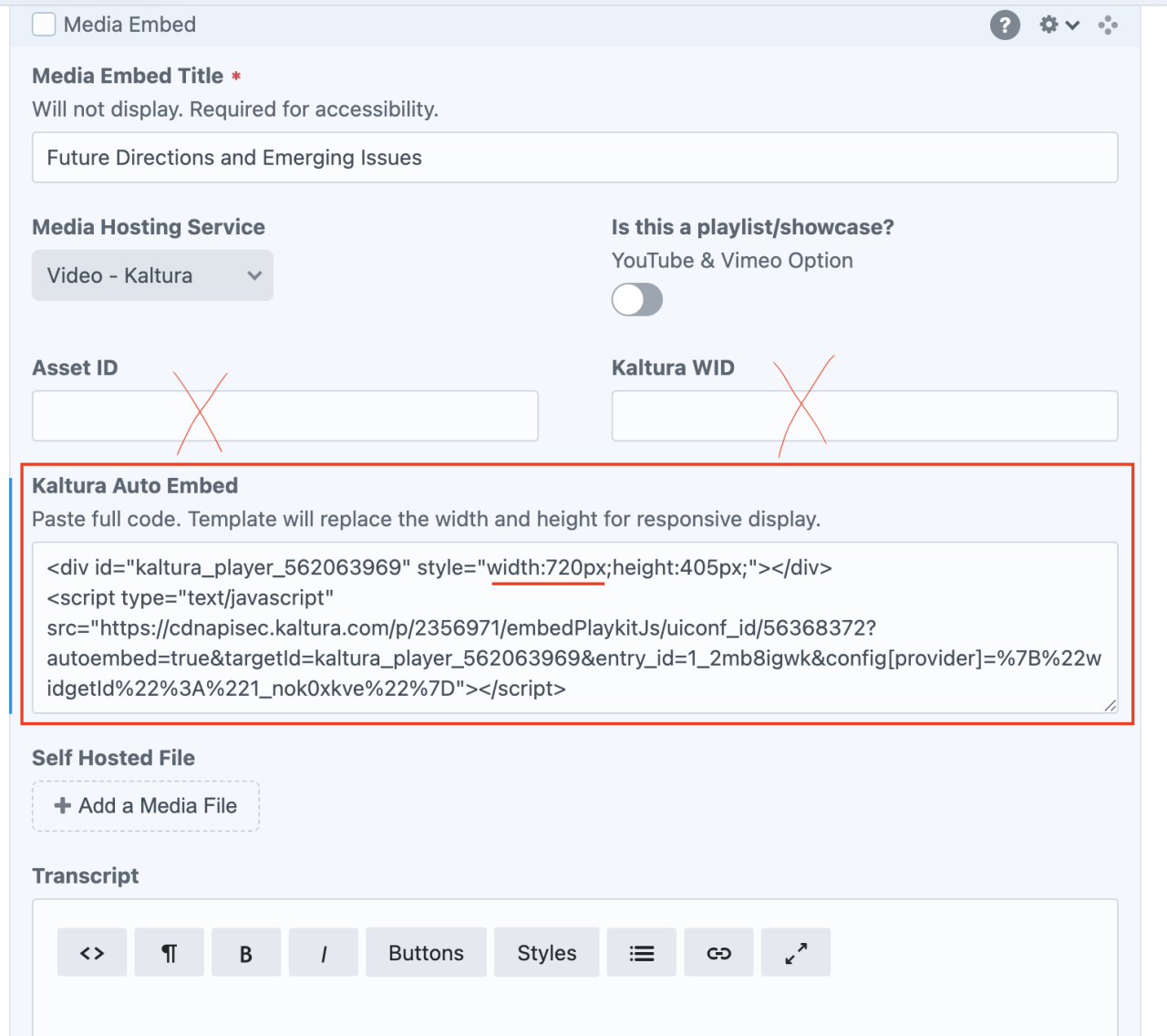
Prior to May 2025, Kaltura video embeds required an Asset ID and a WID, which were extracted from the embed code and pasted into two fields of the Media Embed block.
As of May 2025, Kaltura changed their URL structure. WPSU updated the Media Embed block to allow users to paste the entire Kaltura embed code. The Builder template will automatically transform all fixed width pixels into "100%" width to behave responsively (automatically adjust according to screen size). Editors no longer need to extract the asset ID and WID from Kaltura.
Frequently Asked Question: Where do I find the Asset ID?
For videos that are hosted in a third-party service, such as YouTube, the Assed ID is the unique alphanumeric portion of the media’s URL.


Recommendations
- Provide captions for videos with sound directly within the videos to meet accessibility standards using the service of your choice.
- Provide transcripts for audio files to meet accessibility standards. Transcripts are optional for videos if closed captions are provided. Transcript text may be entered in the rich text field within the content builder block. The word “Transcript +” will appear in a gray bar below the video if anything is entered in the transcript field.
Please contact the WPSU team if you frequently use another media hosting service so we can customize an option for you. This is far preferable to using inline widget iframe embeds as we can more sustainably make updates if embed code formatting changes in the future.