


Directory Channel
Our Team



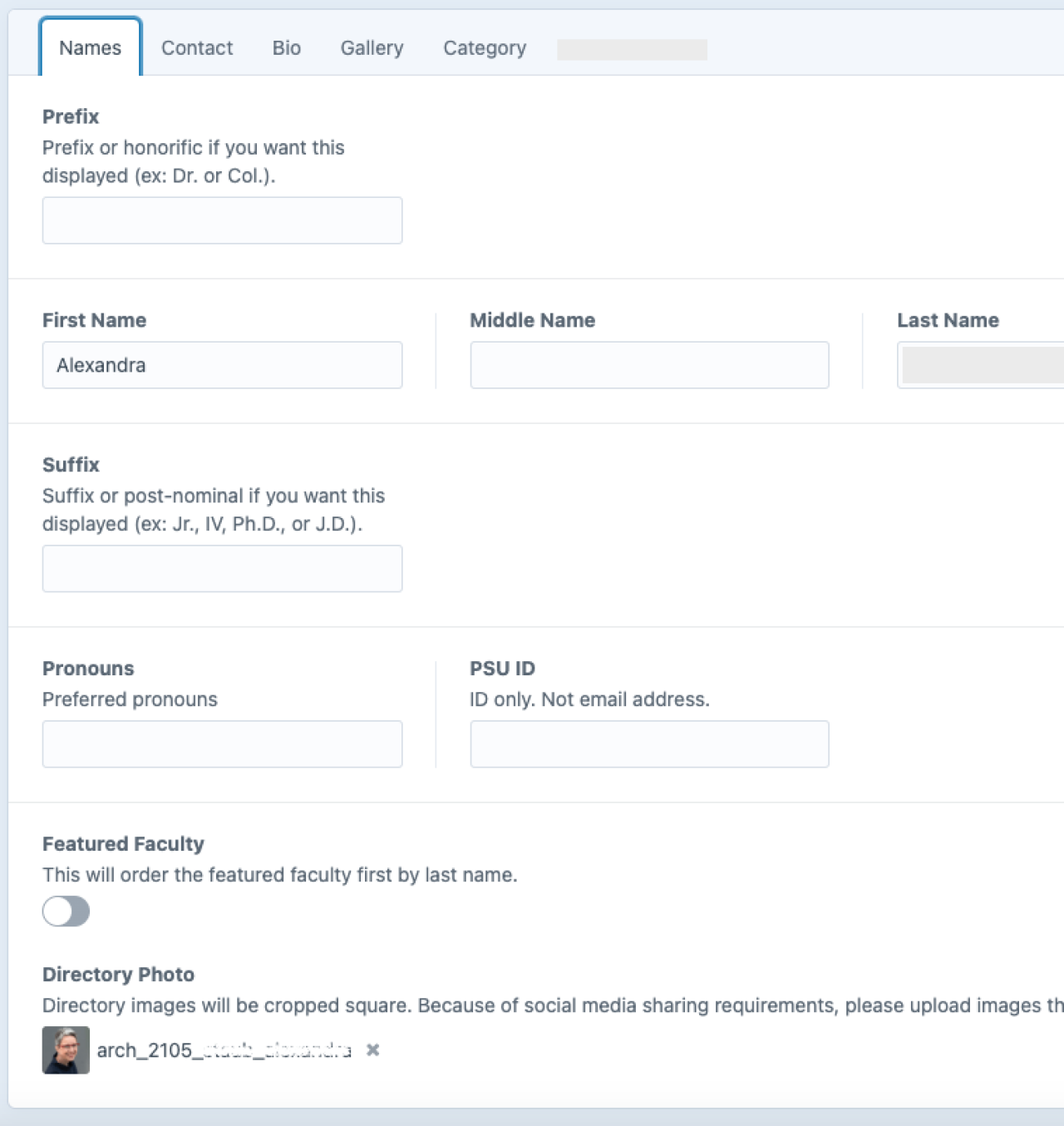
Directory Channel
Each Directory entry represents a person in the directory. It does not generate a login for the person (that is a User). You can include basic or detailed profile information, including job title(s), portrait, attached CV, gallery, etc.
If you establish and assign categories for types of people (ex: faculty, staff) or other divisions (ex:administration, technical support, grant specialists), you can create multiple directories within your site and/or allow users to filter directory results by category.
PSU ID
This field is used for sites that integrate with Elsevier Pure (example); if your site does not provide Pure data, this field can be left blank.
Featured Faculty
If you toggle this option ON, you can use it to put these people at the top of a list when you build a Channel Listing.
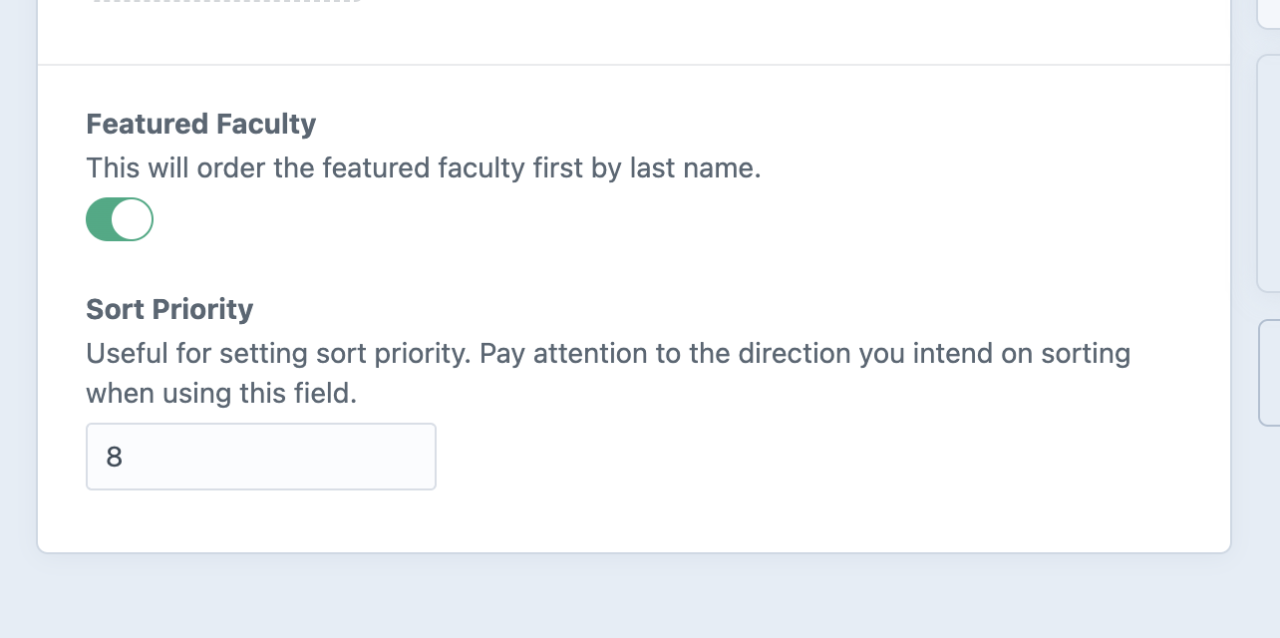
Sort Priority
Specify the precise order directory entries appear when called in a Channel Listing. (For #1 to appear the top of the list, make sure your Channel Listing sort order is “Ascending.”)
Contacts
In the Contact Tab, provide optional contact information.
Social Media

For each directory entry, you can choose whether the social media icons will display with their native account colors or with a single color, aligned with your site theme. You can add as many social accounts as desired, they will be represented by the icon associated with the platform. In cases where our system doesn't recognize the platform, it will use a globe icon instead.